
What is GUIJam?
GUIJam is a free, open-source visual UI editor for web apps in development. It turns the app running in your dev server into an editable canvas. Point at an element, circle it, or sketch what you want, describe the change in plain words, and GUIJam previews it live in the page before anything touches your files. When you keep a change, it lands as a minimal edit in the component that renders it, with one-click undo.
GUIJam drives the AI coding CLI you already use and are logged into, such as Claude Code, Codex or OpenCode. There are no API keys to configure and no credentials leave your machine. It runs only in development: production builds are the same with or without it.
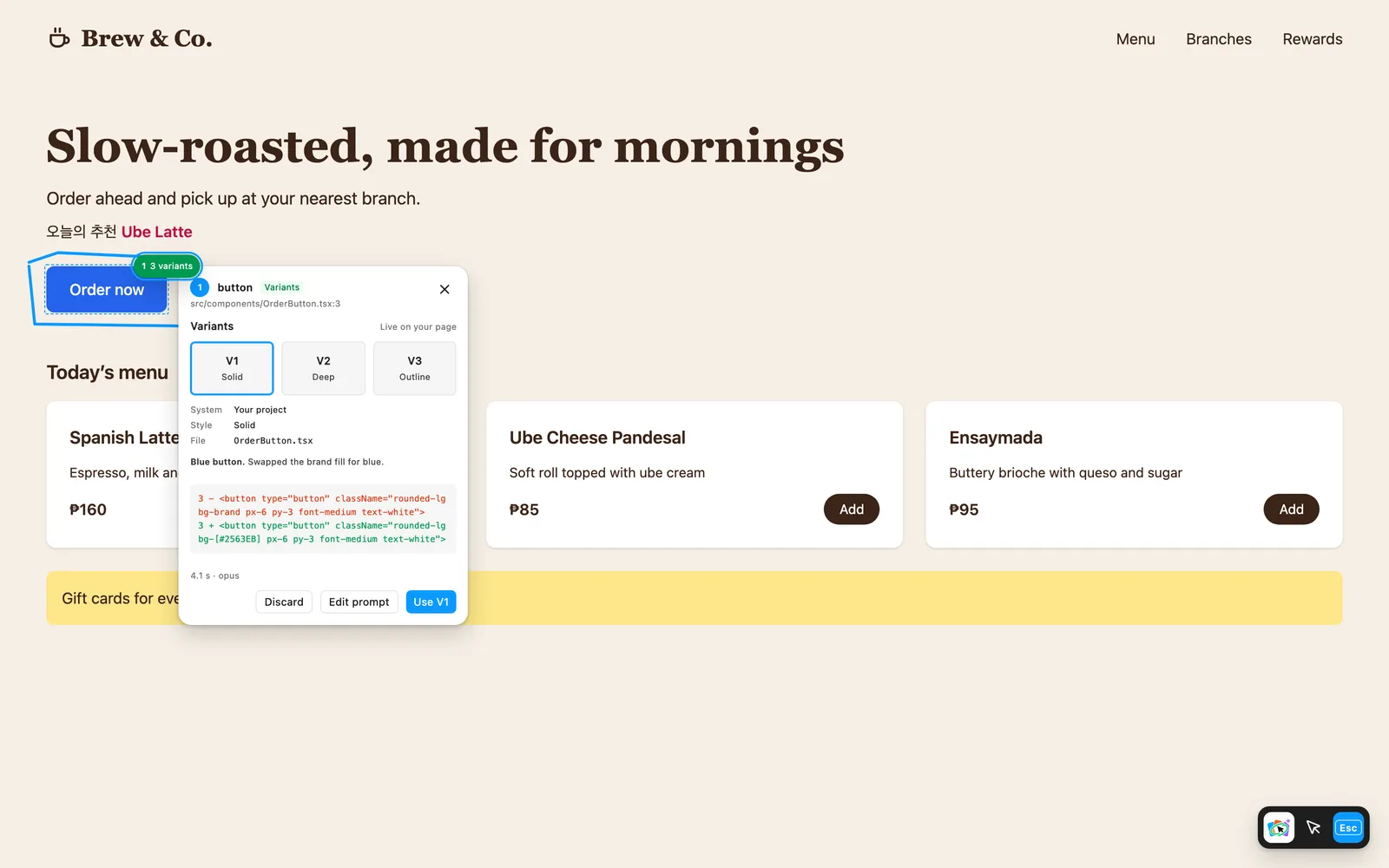
$ npx guijam@latest init$ pnpm dlx guijam@latest init$ yarn dlx guijam@latest init$ bunx guijam@latest initThree live variants for a circled button
How you use it#
A small toolbar sits at the bottom right of your page with two tools.
| Tool | What you do |
|---|---|
| Select | Click any element. Tweak its fill and corner radius in a Figma-style panel, then Apply. |
| Select (sketch) | Click an element, then Sketch what you want for this component. Draw over it and describe the change, and the AI changes that component to match. |
| Draw | Circle an element and describe the change. Pick one of three live variants and Use it. |
| Draw (sketch) | Sketch a card, a section or an icon where you want it. GUIJam works out the component and where it goes. |
| Ask AI | Ask a question about what you see, such as "what's the path of this image?" |
Every applied change shows an Undo for 10 seconds.
What makes it different#
- Edits land in your source. Every element knows the file, line and column that rendered it, so a change becomes a one-line edit in the right component, not a style override.
- Previews are never written early. Variants are served from memory through your dev server. Your files change only when you click Use or Apply.
- Three takes per request. One call to your CLI returns three variants, live on the page, so you compare them in context.
- Exact edits skip the AI. "Make it blue and pill-shaped" becomes a precise edit instantly, with no model call.
- Your CLI, your login. GUIJam runs your provider CLI headlessly with no write tools and never reads its credentials.
- Safe writes. Every edit is journaled with the exact previous bytes, conflicts with your own unsaved work are refused, and undo restores files exactly.