
Quick start
One command sets everything up: it adds the package, wires your framework's config and connects the AI coding CLI you already use.
Run init in your app's folder#
$ npx guijam@latest init$ pnpm dlx guijam@latest init$ yarn dlx guijam@latest init$ bunx guijam@latest initinit walks you through the setup:
- Detects your package manager, framework and styling.
- Adds
guijamas a dev dependency. - Wires GUIJam into your framework's config, as shown in Frameworks. If the config is too dynamic to edit safely, it shows the lines to add.
- Lists the AI coding CLIs on your machine and saves the one you pick. With OpenCode it also lets you choose the model, such as DeepSeek or GLM.
- Runs that CLI's own login if you aren't logged in yet. GUIJam never reads your credentials. For OpenCode, Qwen Code and Gemini CLI, it then offers one short test request to show the tool answers.
- Adds
.guijam/to your.gitignore.
It's safe to run again. When it finishes, it prints your next steps:
1. Start your dev server with npm run dev
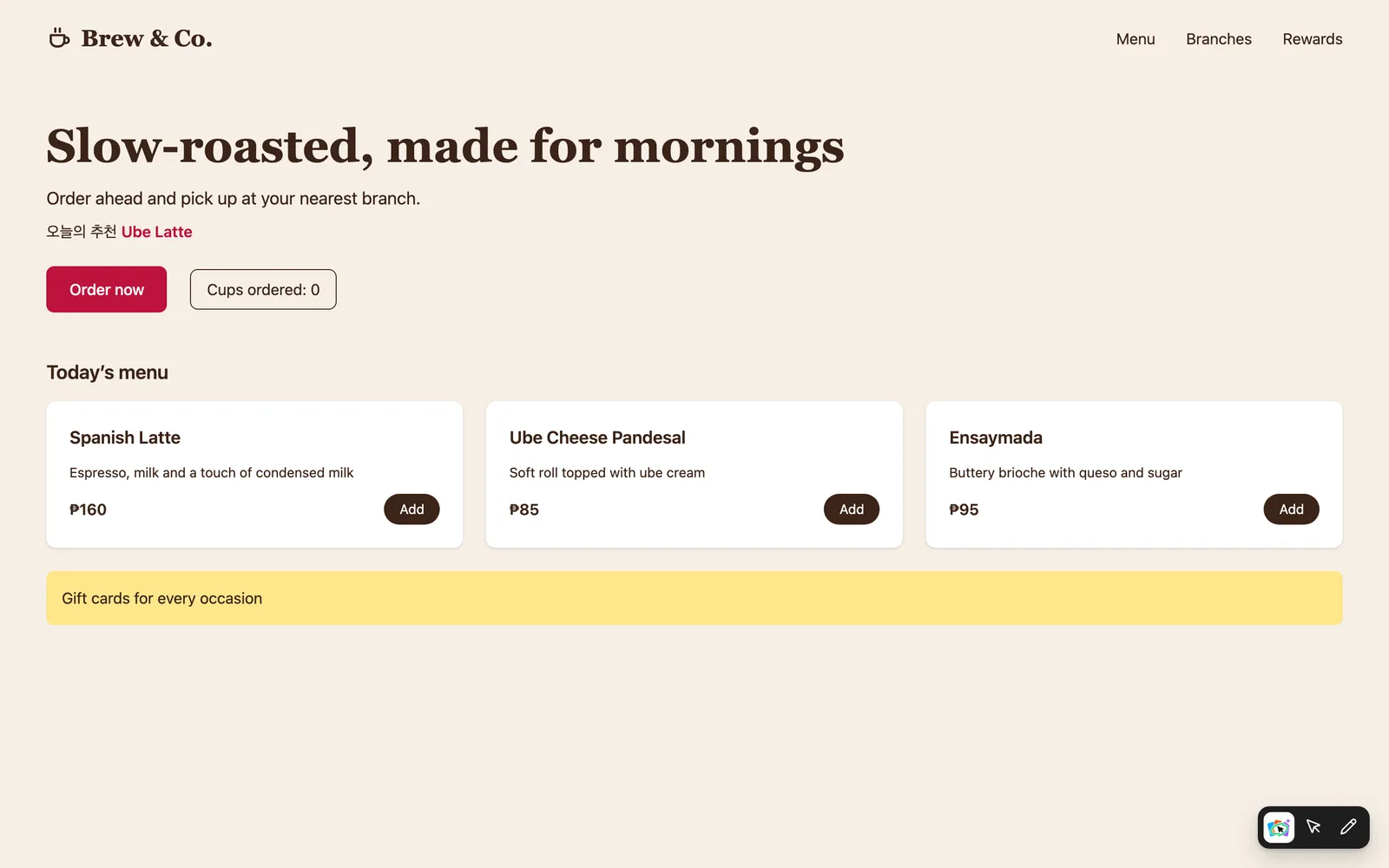
2. Open your app. The GUIJam toolbar sits at the bottom right.
3. Select an element to fine-tune it, Draw around it for three
   variants, or Ask a question about it.
4. Alt+Shift+M hides the toolbar. Something off? Run npx guijam doctor
Start your dev server#
Start it as usual, for example:
npm run devOpen your app. The GUIJam toolbar appears at the bottom right of the page.
The toolbar in your running app
Fine-tune an element#
Pick Select, then click any element. A panel opens with its fill and corner radius. Change them and the page updates live. Click Apply to write the change to your source.
Draw for three variants#
Pick Draw and circle an element. Describe what you want, such as "make it pill-shaped and darker", and press Enter. Three variants appear, live on your page. Click through them, then Use the one you like.
Undo if you change your mind#
Every applied change shows an Undo for 10 seconds. It restores your files exactly.